
Traffic Flow
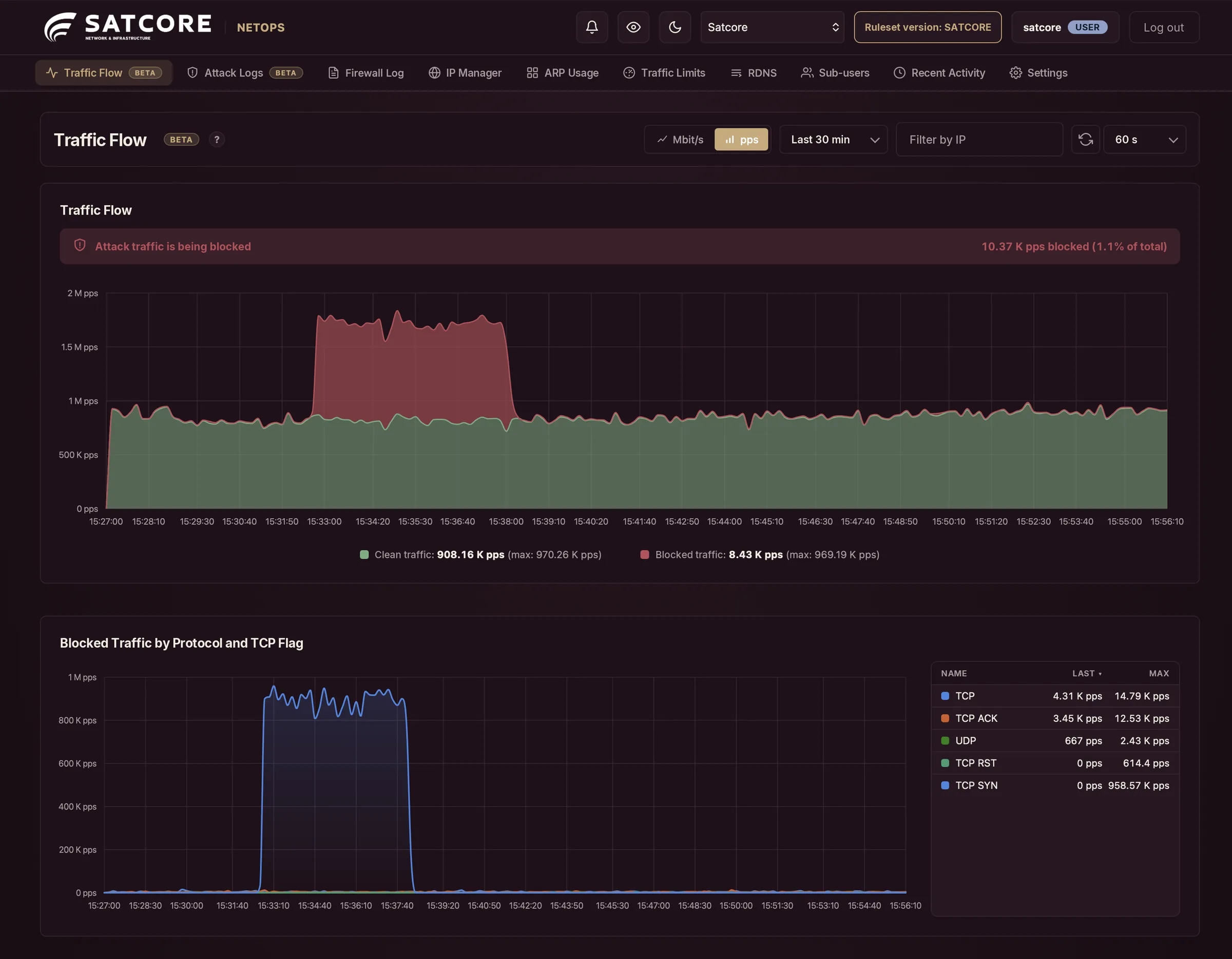
Clean and blocked traffic, as it happens.
Satcore Shield · NetOps Panel
Every Satcore Shield service comes with the NetOps panel. Watch your protected network’s traffic live, analyze every attack in detail and take action instantly.
Already a Shield customer? Sign in to NetOps
01Monitor
The Traffic Flow view splits everything reaching your network in two: clean traffic and the attacks Shield blocks. The ports and countries an attack comes from are right there on the same page.
02Analyze
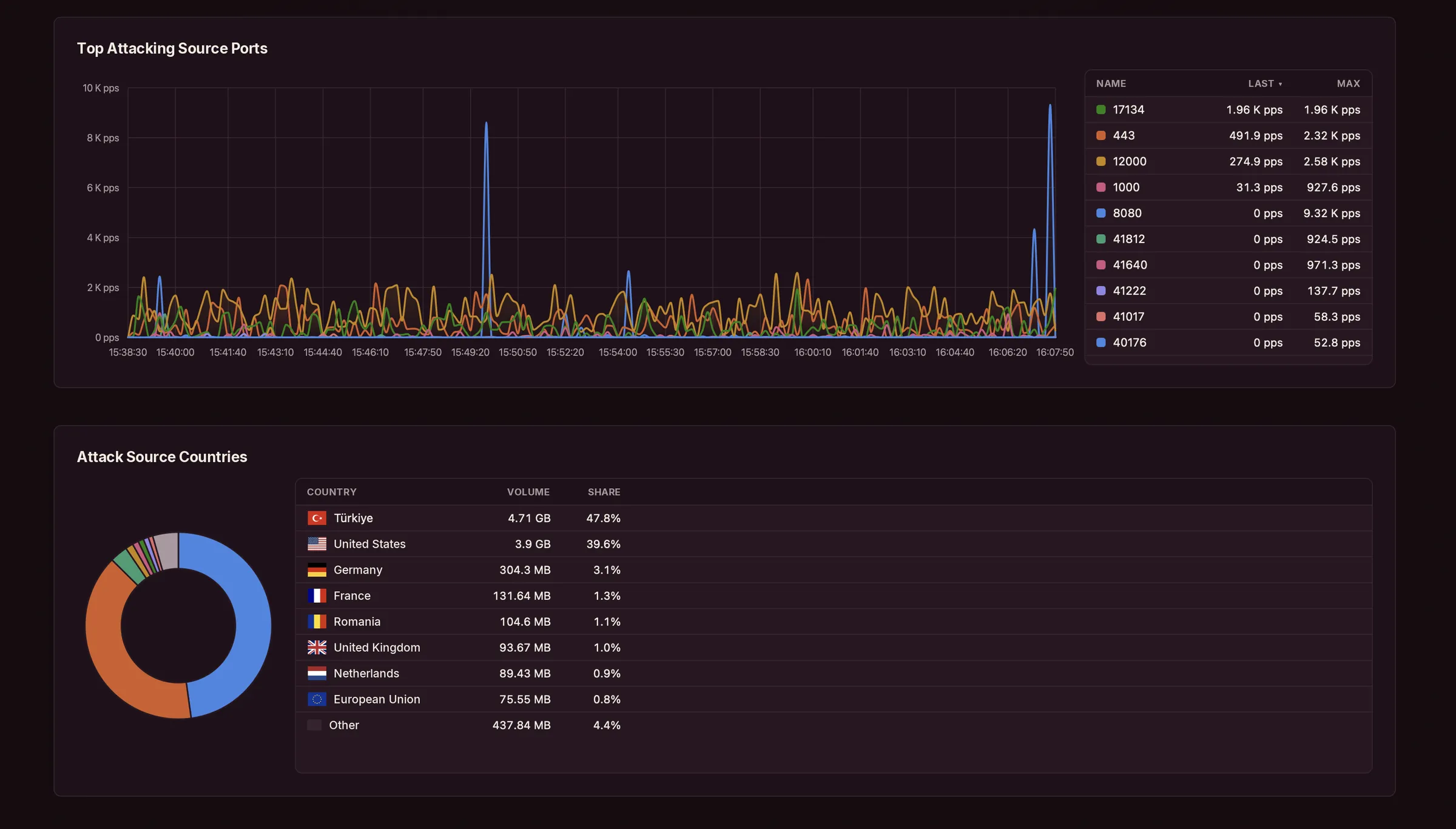
Every attack Shield detects is recorded in NetOps: target IP, duration, peak traffic and packet rate. Carpet-bombing attacks spread across a whole block are flagged separately. One click takes you into the details.
03In depth
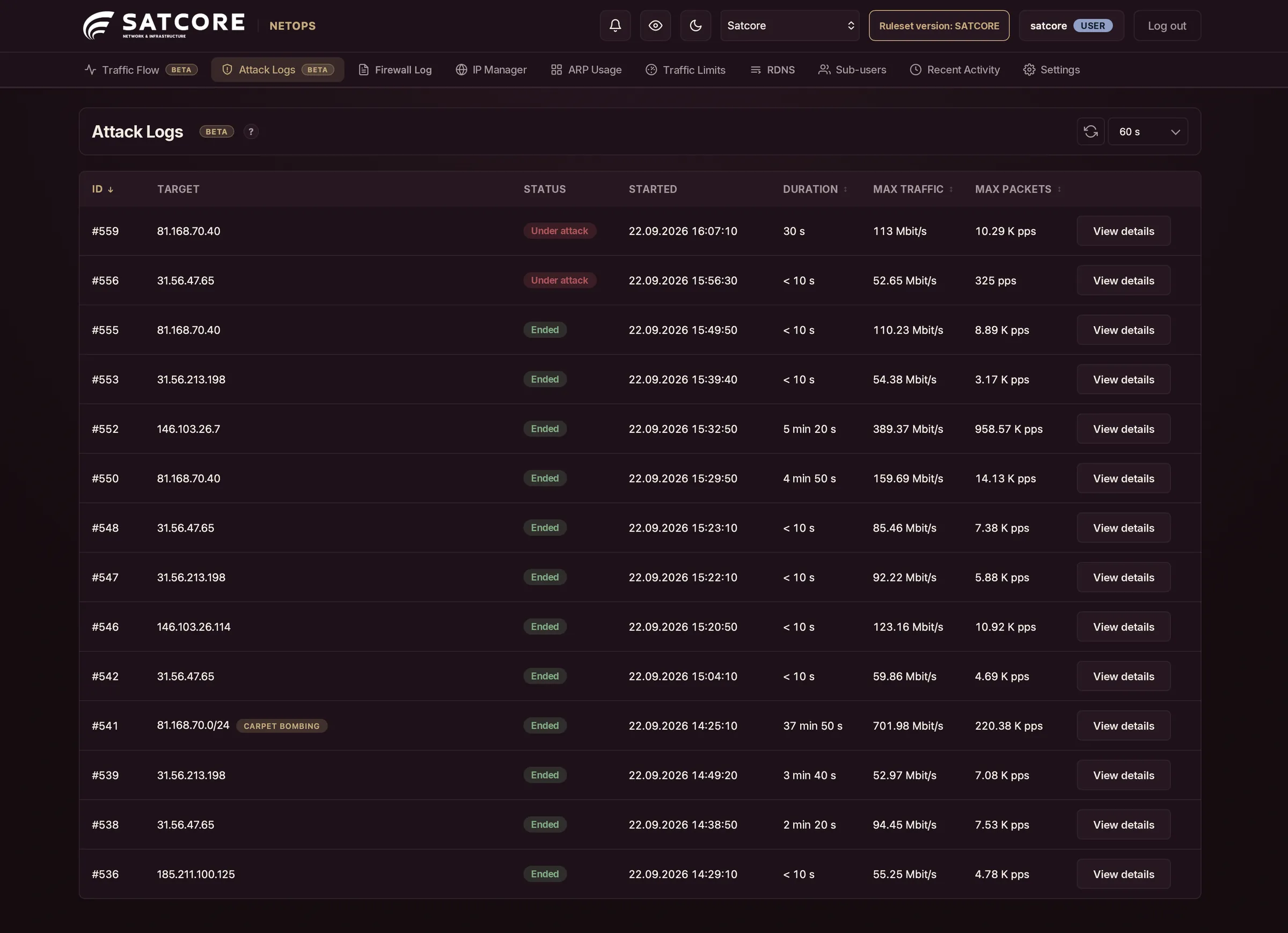
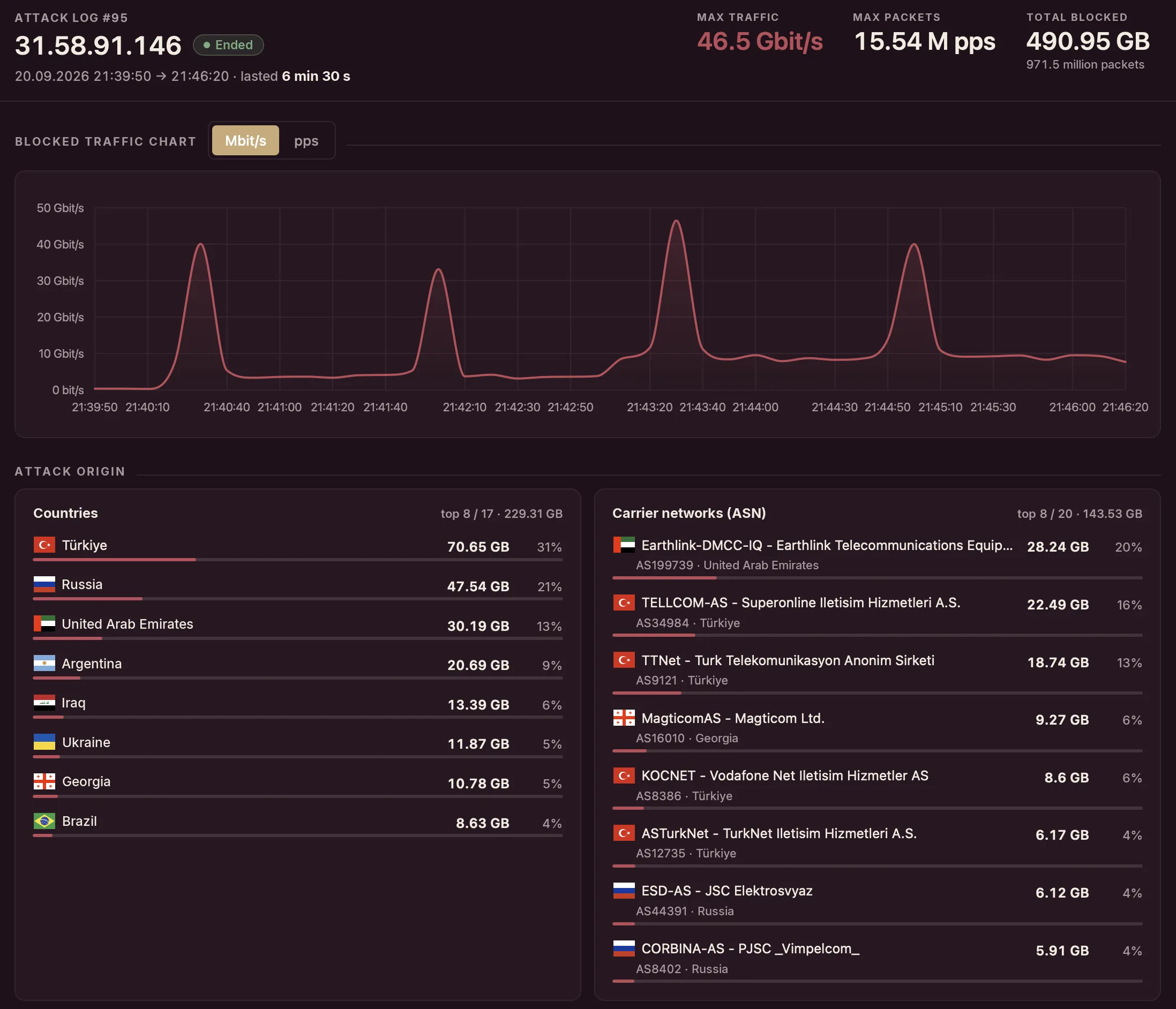
See which countries and carrier networks an attack comes from, which ports it targets and which protocol it uses. Then drill down to raw packet samples.
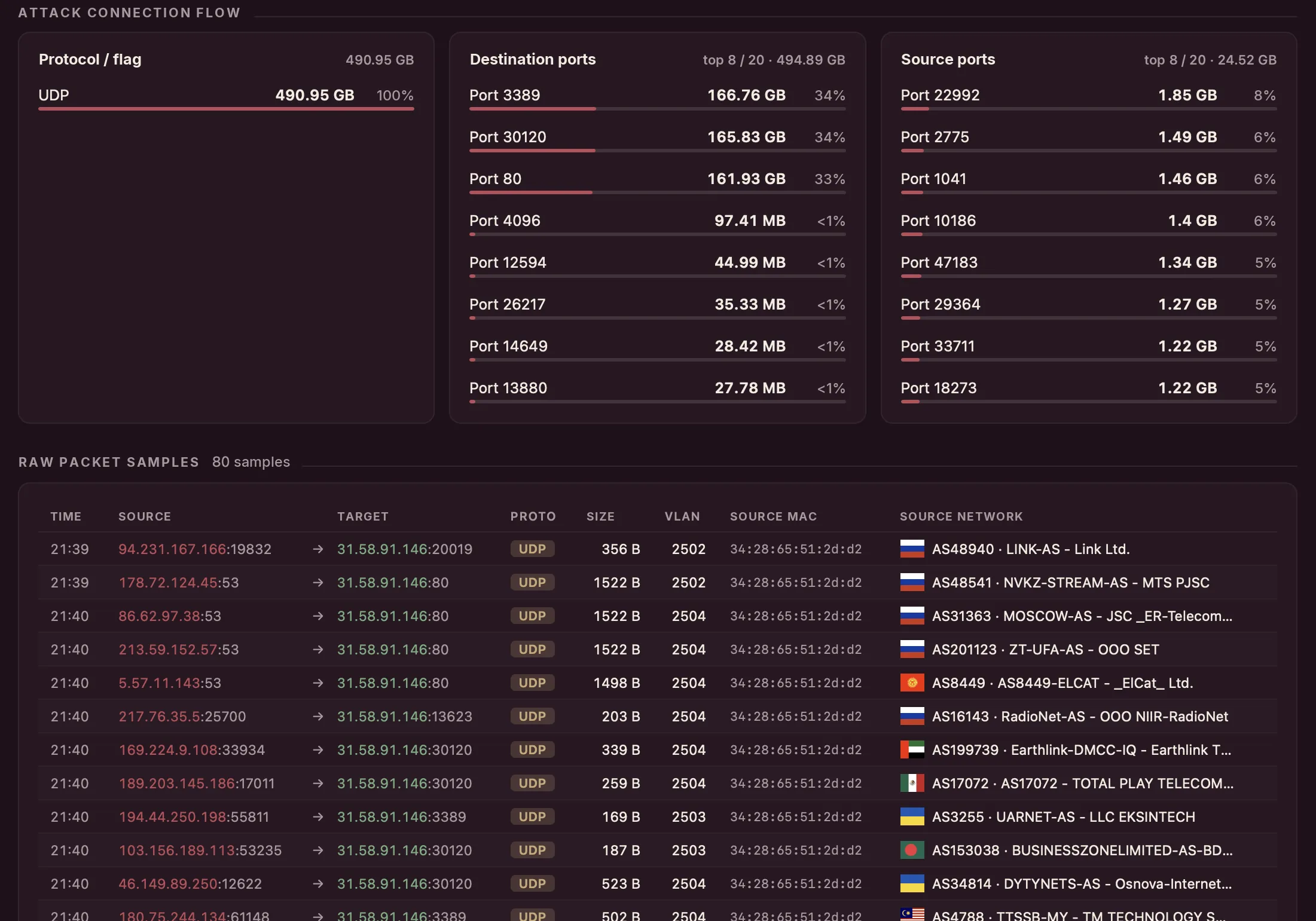
Where traffic originates, down to the carrier network.
Destination and source ports, by volume and share.
UDP and TCP SYN, ACK and RST, broken out.
Each one with source IP, VLAN, MAC and ASN.
04Control
No ticket, no waiting. Set rules and limits, edit PTR records and pick the WAF mode yourself, right in the panel.
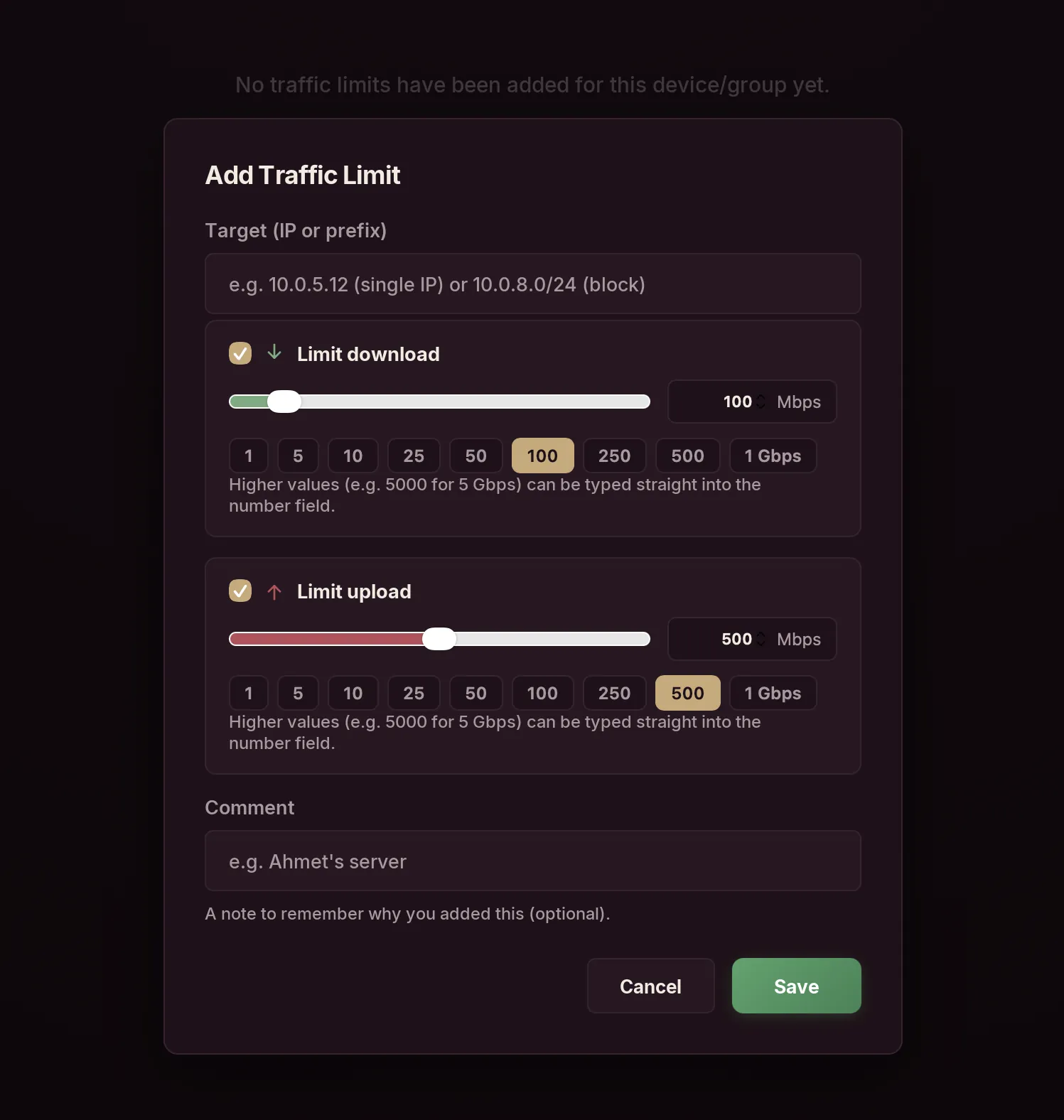
Set download and upload limits for a single IP or an entire block. Presets from 1 Mbps to 1 Gbps, or type in any higher value.
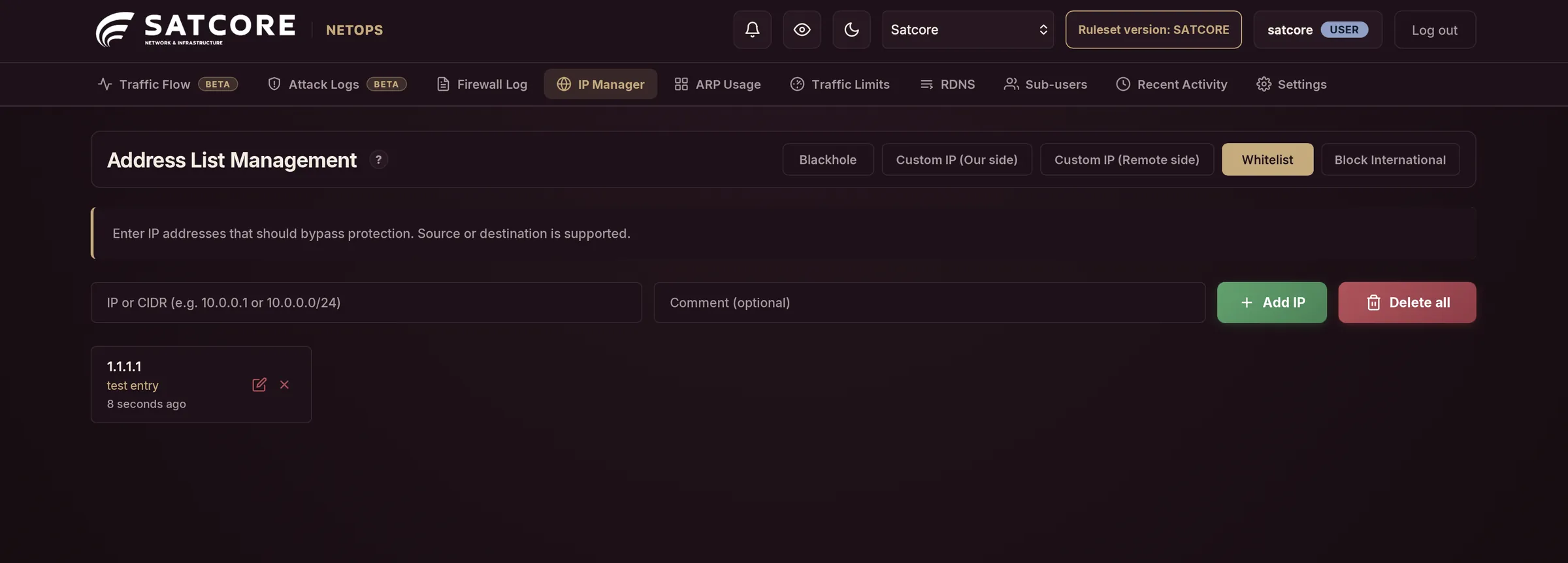
Blackhole any IP or CIDR range, whitelist addresses that should bypass filtering, keep custom IP lists and shut off international traffic in one click.
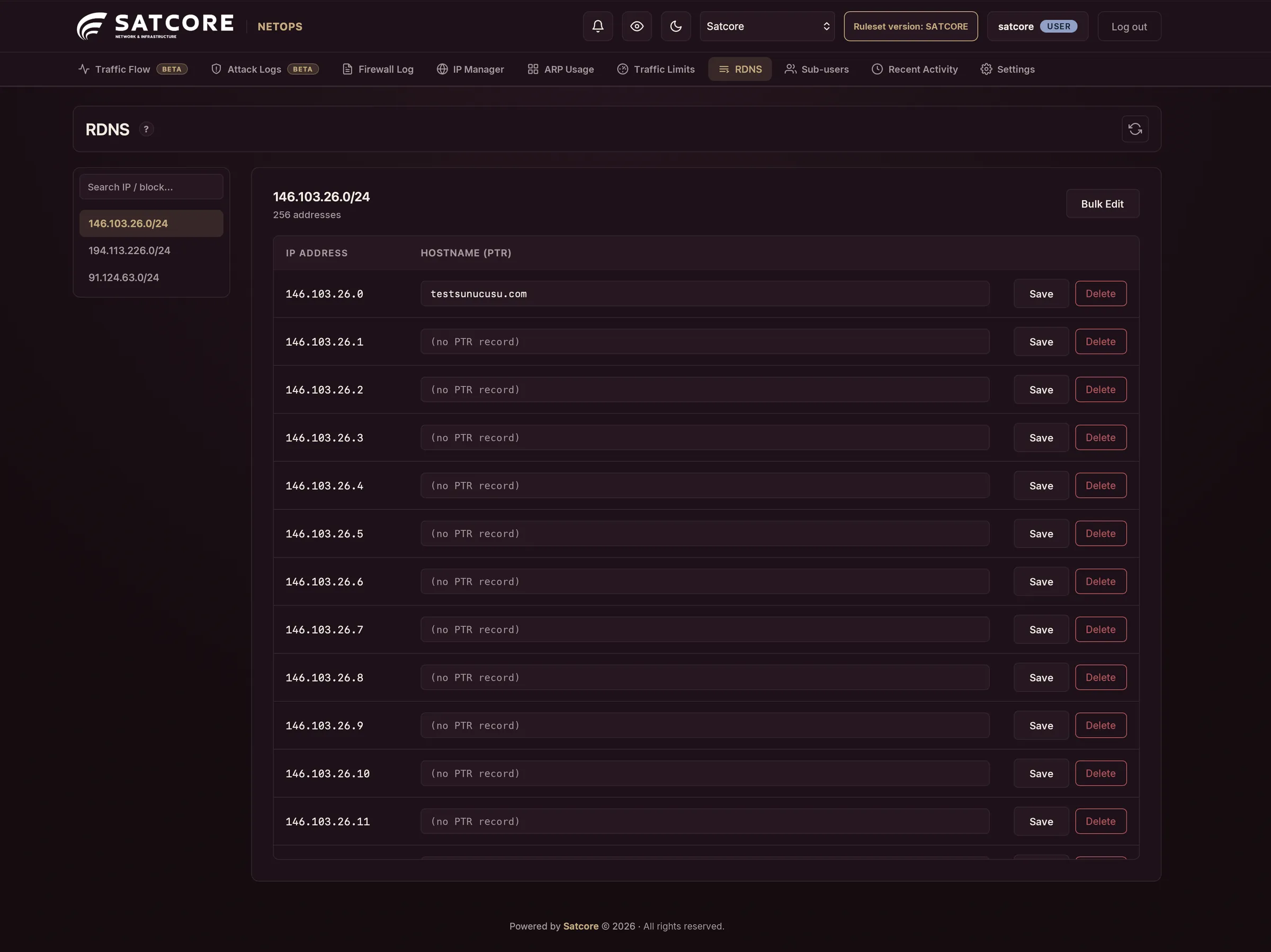
Edit the hostname record of every address in your IP blocks, one by one or in bulk.
05Get notified
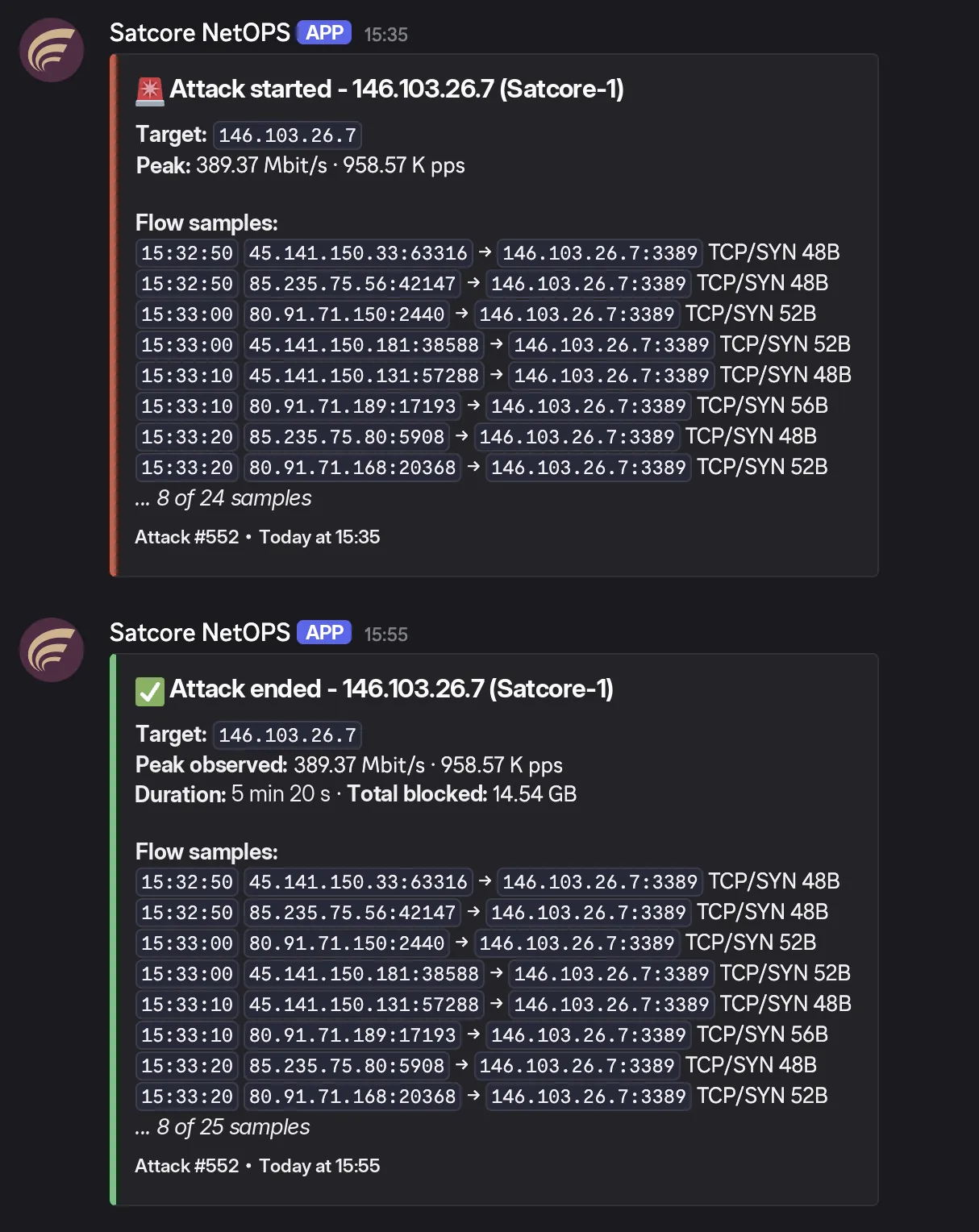
When Shield detects an attack, and again when it ends, NetOps alerts your team with target IP, peak values, duration and flow samples right in the message.
Included with Shield
Clean and blocked traffic, as it happens.
Automatic detection, complete history.
Country, ASN, port and packet detail.
See exactly what your rules are doing.
Blackhole, whitelist and custom IP lists.
Cut off traffic from abroad in one click.
Rate limits per IP and prefix.
Edit PTR records one by one or in bulk.
Keep track of ARP usage on your network.
Give your team access with their own accounts.
Alerts your team when an attack is detected.
On Remote Shield, switch the WAF between sensor and always-on.
A record of every action taken in the panel.
Already a Shield customer? Sign in to NetOps
Our customers


