
A full line beats any firewall
When a volumetric attack exceeds your link capacity, a firewall behind that link can no longer help. Remote Shield stops the attack in the Satcore network, before it reaches your line.
Satcore Remote Shield
Remote Shield routes traffic bound for your network through the Satcore network. Attacks are filtered out with stateful L3/L4 packet inspection, adaptive traffic analysis and a hardware-accelerated datapath — clean traffic reaches you over a GRE tunnel or cross-connect.
Attack traffic is filtered out before it reaches your network.
See what Shield sees: monitor traffic, analyze attacks and manage your rules.
Take a closer look at the panelWhy protection?
Launching a DDoS attack has never been cheaper or easier. On an unprepared network, a few minutes of attack means downtime, lost revenue and lost trust.
When a volumetric attack exceeds your link capacity, a firewall behind that link can no longer help. Remote Shield stops the attack in the Satcore network, before it reaches your line.
Even if a single server is targeted, every service sharing that line goes down with it.
An unreachable website, game server or API means lost customers and lost trust.
From UDP floods and amplification to SYN floods and carpet bombing across an entire block — attackers keep switching methods.
What’s protected
Remote Shield protects your infrastructure against L3/L4 attacks, from a single IP address to all of your IP blocks.
Your web and application servers stay reachable.
Latency-sensitive game traffic keeps flowing.
Your critical infrastructure services stay up.
Your team stays connected, even under attack.
Every system you host is protected.
From a single IP to all of your prefixes.
Attack coverage
From volumetric floods to protocol attacks, from reflection and amplification to carpet bombing across an entire block — Satcore Shield protects against the attack types seen across the network and transport layers.
Try to fill your line with sheer volume.
Abuse open servers to multiply traffic and bounce it at you.
Try to exhaust the resources of your servers and devices.
Combine methods and keep changing to slip past defenses.
How Shield stops them
Connection state is tracked, so packets that don’t belong to a valid session — ACK, RST or FIN floods — never reach you.
The TCP handshake is validated before a connection is passed on, so SYN floods can’t exhaust your servers.
Malformed headers, invalid flag combinations and broken fragments are dropped on sight.
Unsolicited responses from reflector protocols are recognized by source port and signature and filtered out.
Shield learns your normal traffic profile and applies dynamic rate limits as soon as traffic turns anomalous.
A hardware-accelerated, distributed datapath filters at line rate, with 4 Tbps+ of mitigation capacity.
Connectivity
Your traffic is cleaned in the Satcore network and delivered over whichever path suits your infrastructure.
Wherever your network is, clean traffic is delivered through a GRE tunnel over the internet. Latency depends on the distance between your network and our data centers.
If your servers are in one of our data centers, you connect straight to the Satcore network over a direct physical link.
Our data centers
Connect directly to the Satcore network in our data centers in Germany and Istanbul — low-latency, resilient and secure.
Pricing
Pick the bandwidth you need and see the monthly price instantly. The price per Mbps drops as capacity grows, down to €0.60 from 5 Gbps.
Bandwidth
1,000 Mbps
Monthly
/ month
€0.80 per Mbps
60% less per Mbps
Request this planIn every plan
Prices are monthly, in euros (€). For more than 10 Gbps, get in touch.
Satcore Shield · NetOps Panel
Every Satcore Shield service comes with the NetOps panel. Watch your protected network’s traffic live, analyze every attack in detail and take action instantly. All included with Shield.
Already a Shield customer? Sign in to NetOps
01Monitor
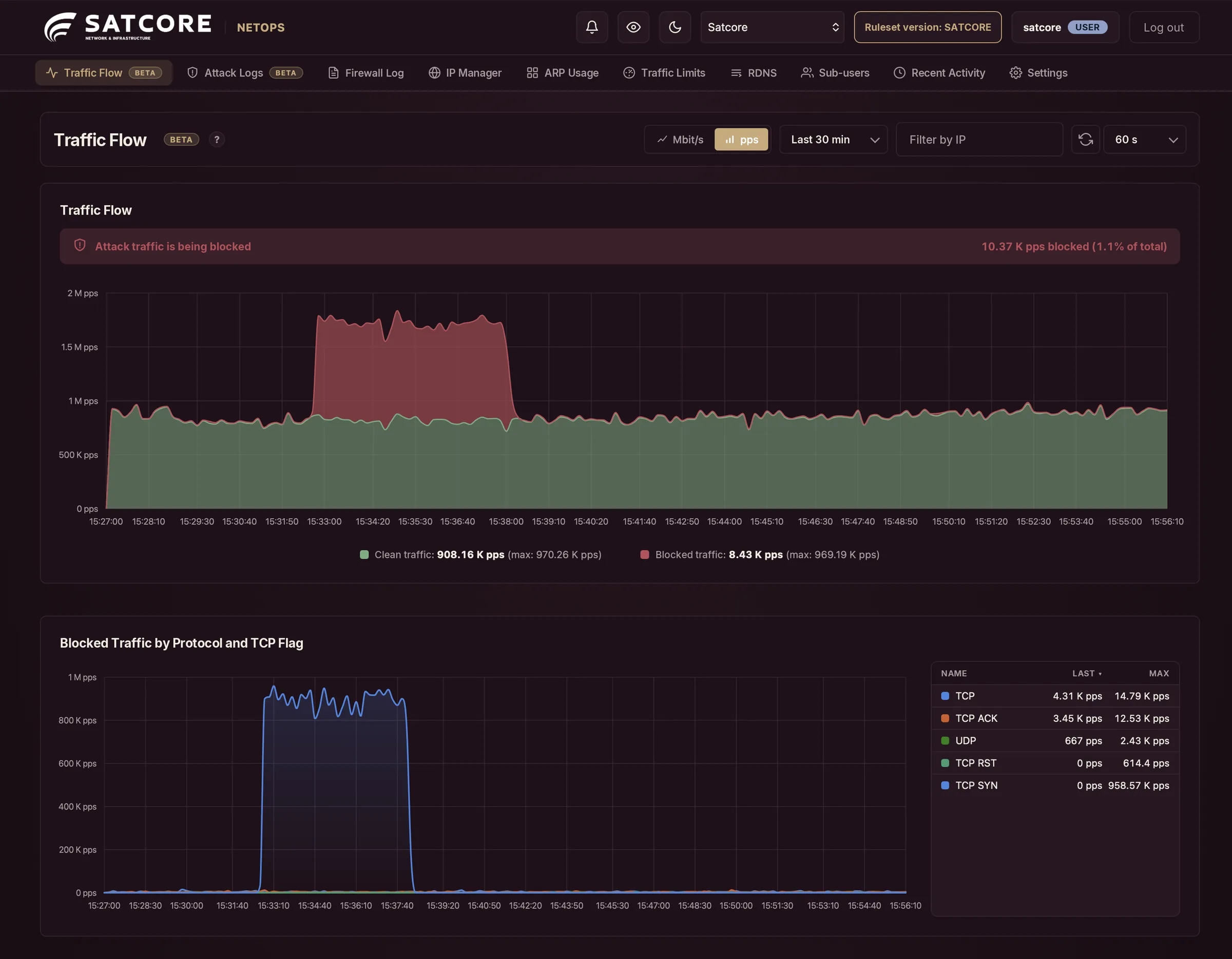
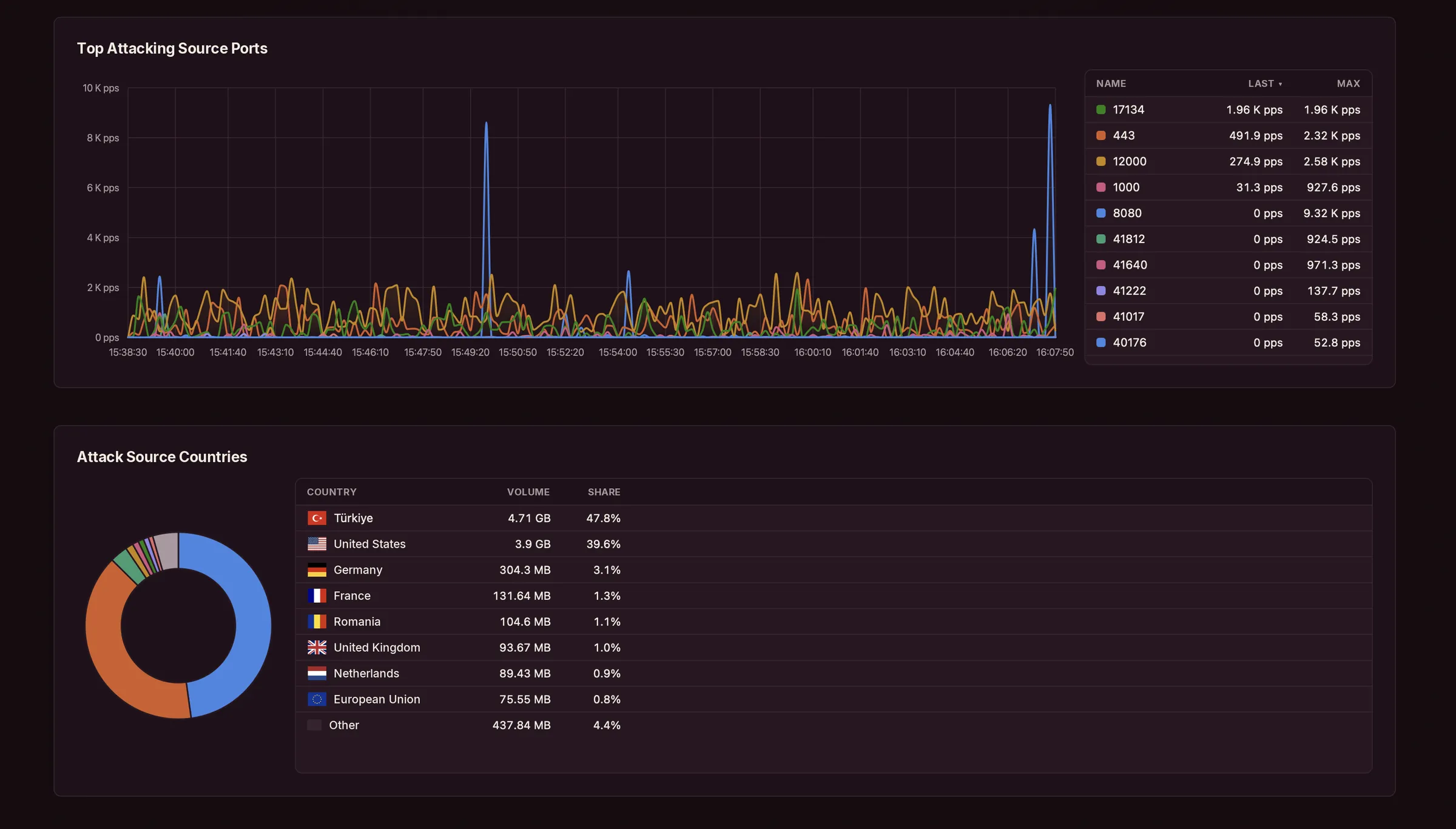
The Traffic Flow view splits everything reaching your network in two: clean traffic and the attacks Shield blocks. The ports and countries an attack comes from are right there on the same page.
02Analyze
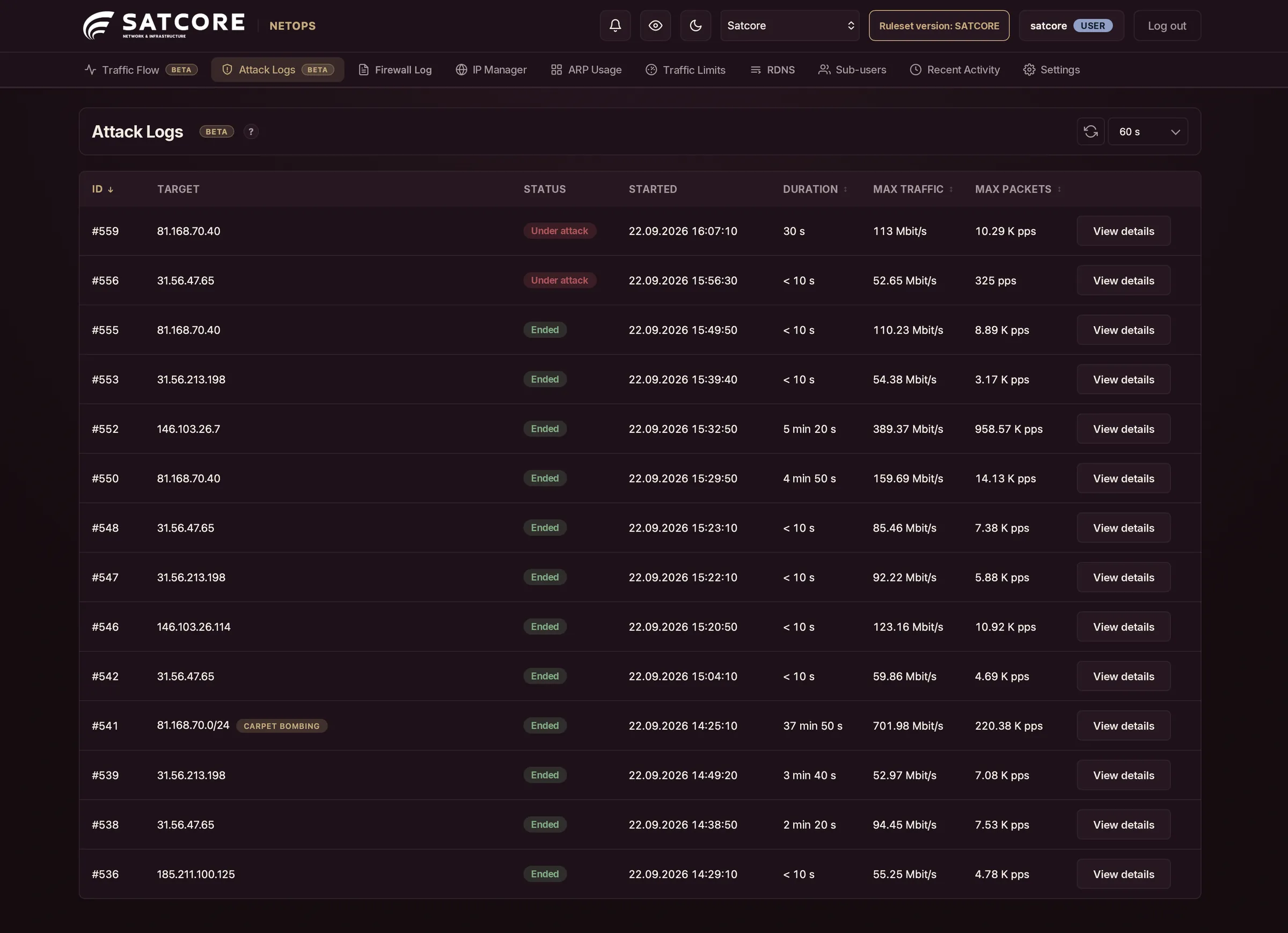
Every attack Shield detects is recorded in NetOps: target IP, duration, peak traffic and packet rate. Carpet-bombing attacks spread across a whole block are flagged separately. One click takes you into the details.
03In depth
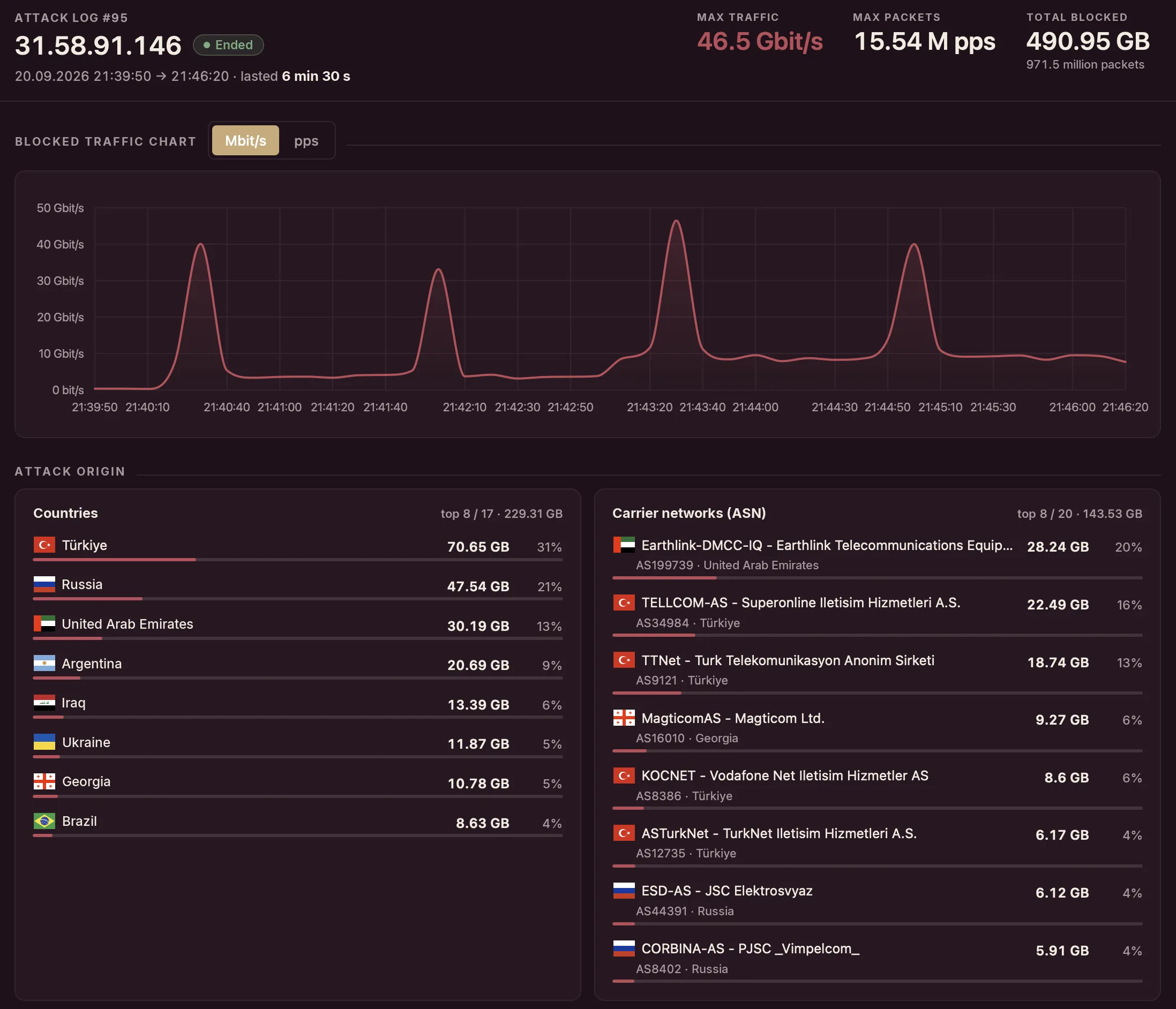
See which countries and carrier networks an attack comes from, which ports it targets and which protocol it uses. Then drill down to raw packet samples.
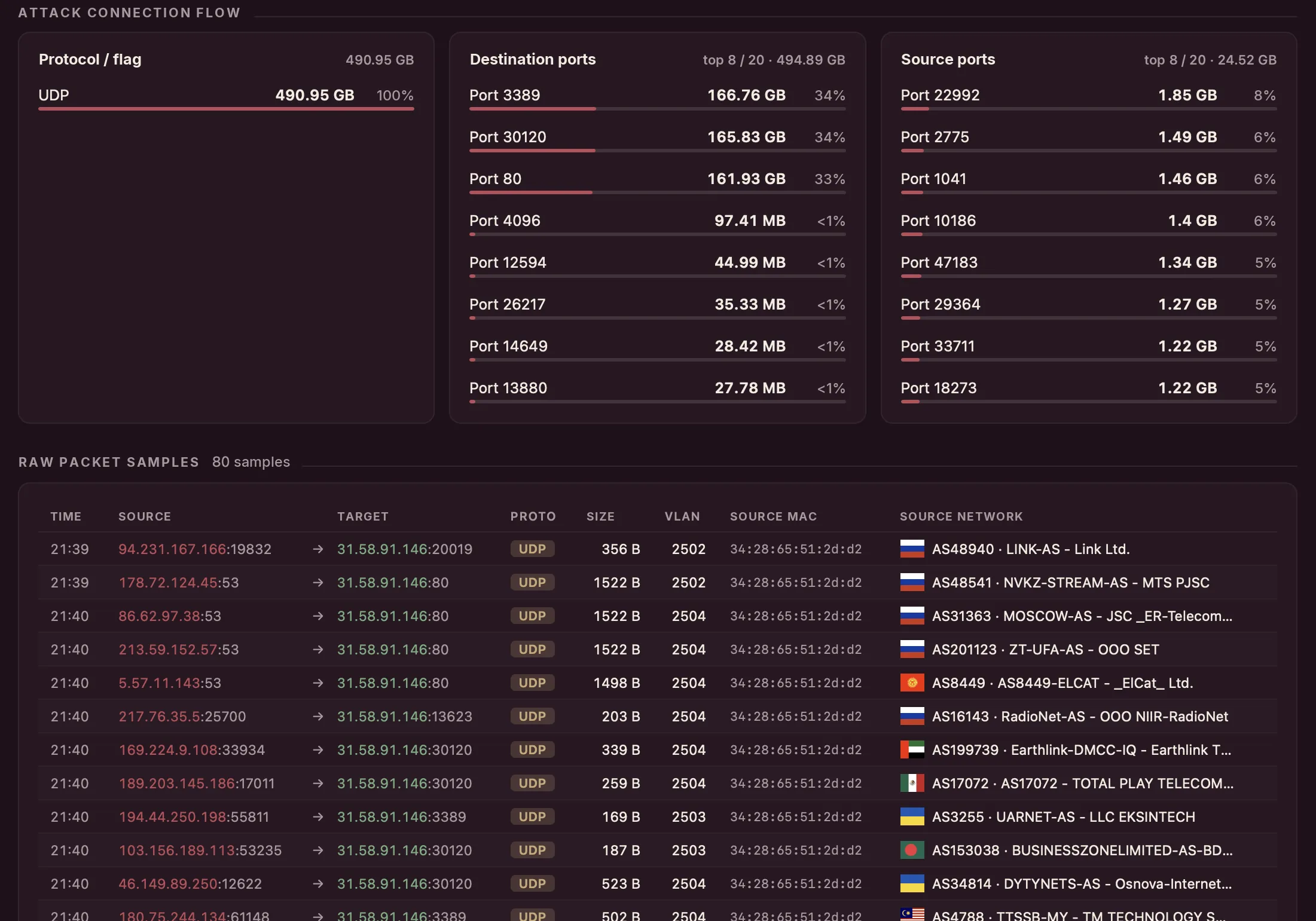
Where traffic originates, down to the carrier network.
Destination and source ports, by volume and share.
UDP and TCP SYN, ACK and RST, broken out.
Each one with source IP, VLAN, MAC and ASN.
04Control
No ticket, no waiting. Set rules and limits and edit PTR records yourself, right in the panel.
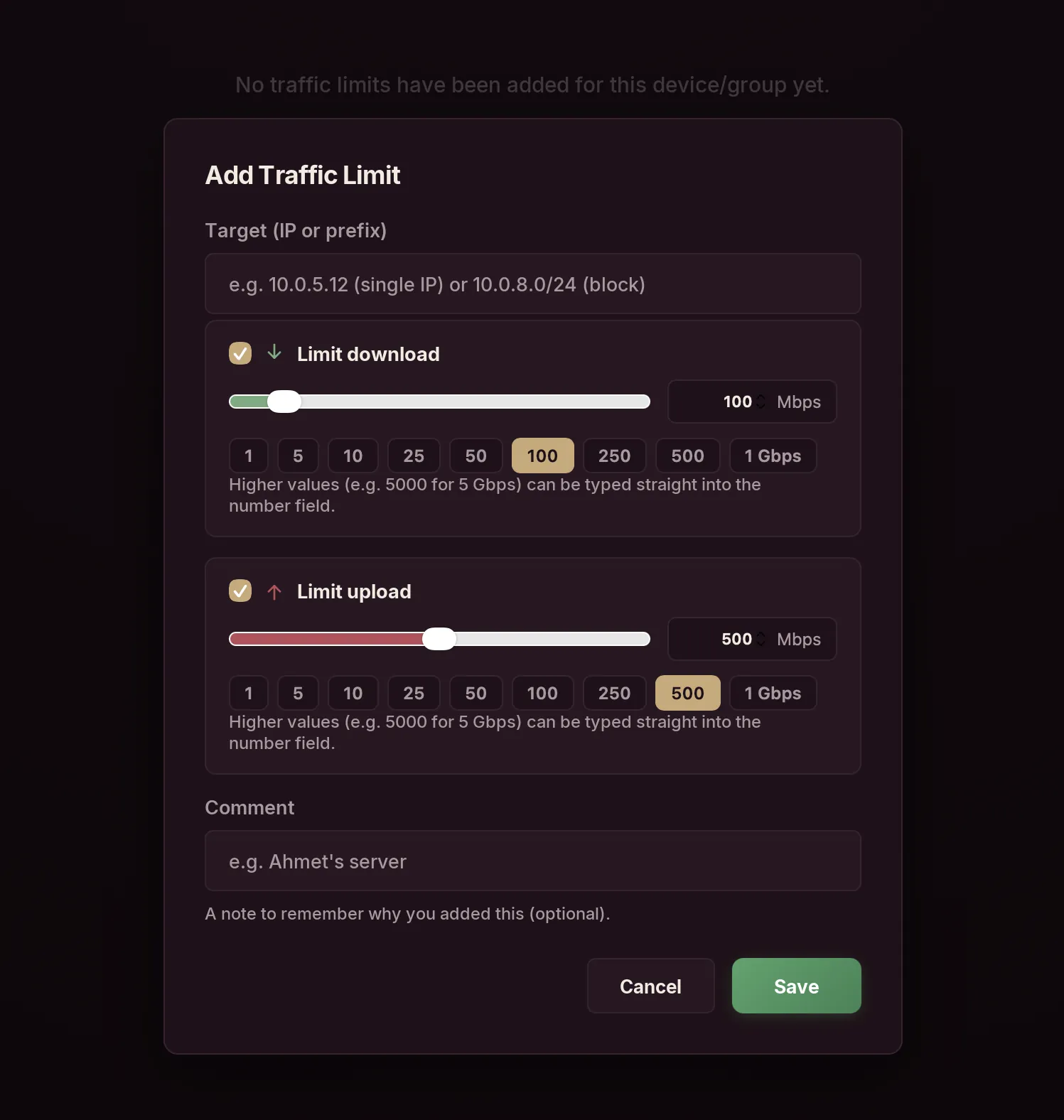
Set download and upload limits for a single IP or an entire block. Presets from 1 Mbps to 1 Gbps — or type in any higher value.
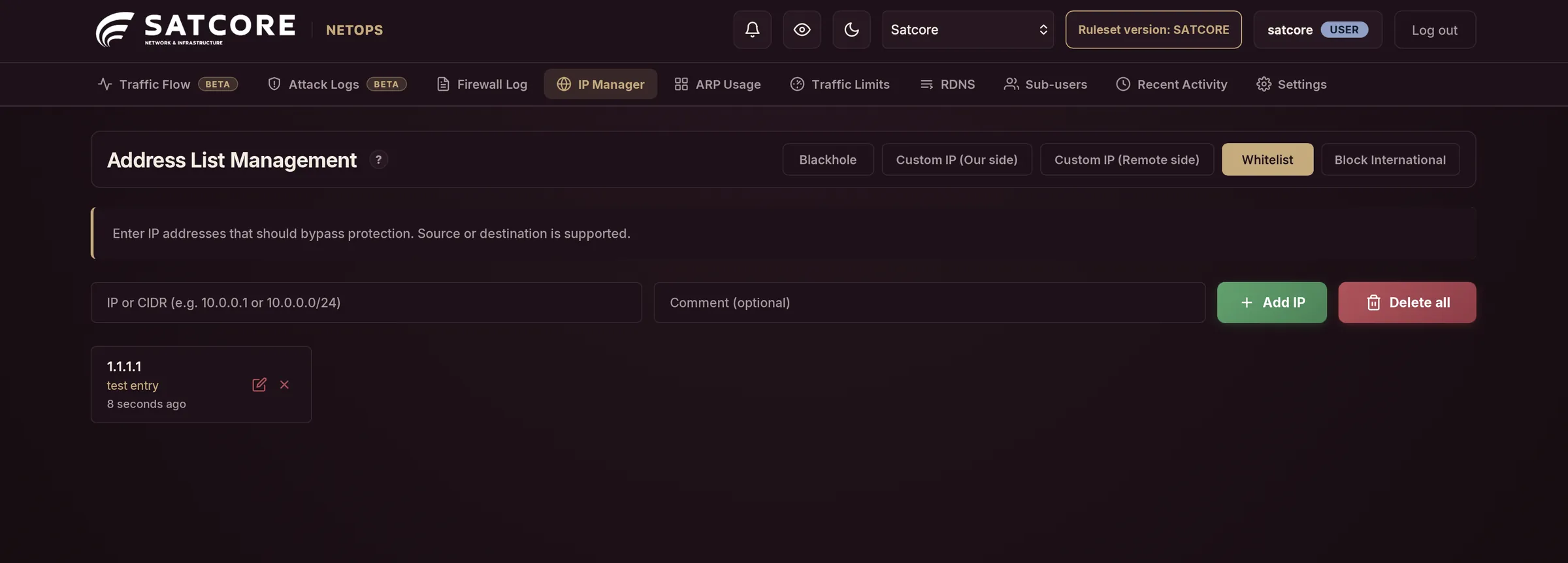
Blackhole any IP or CIDR range, whitelist addresses that should bypass filtering, keep custom IP lists and shut off international traffic in one click.
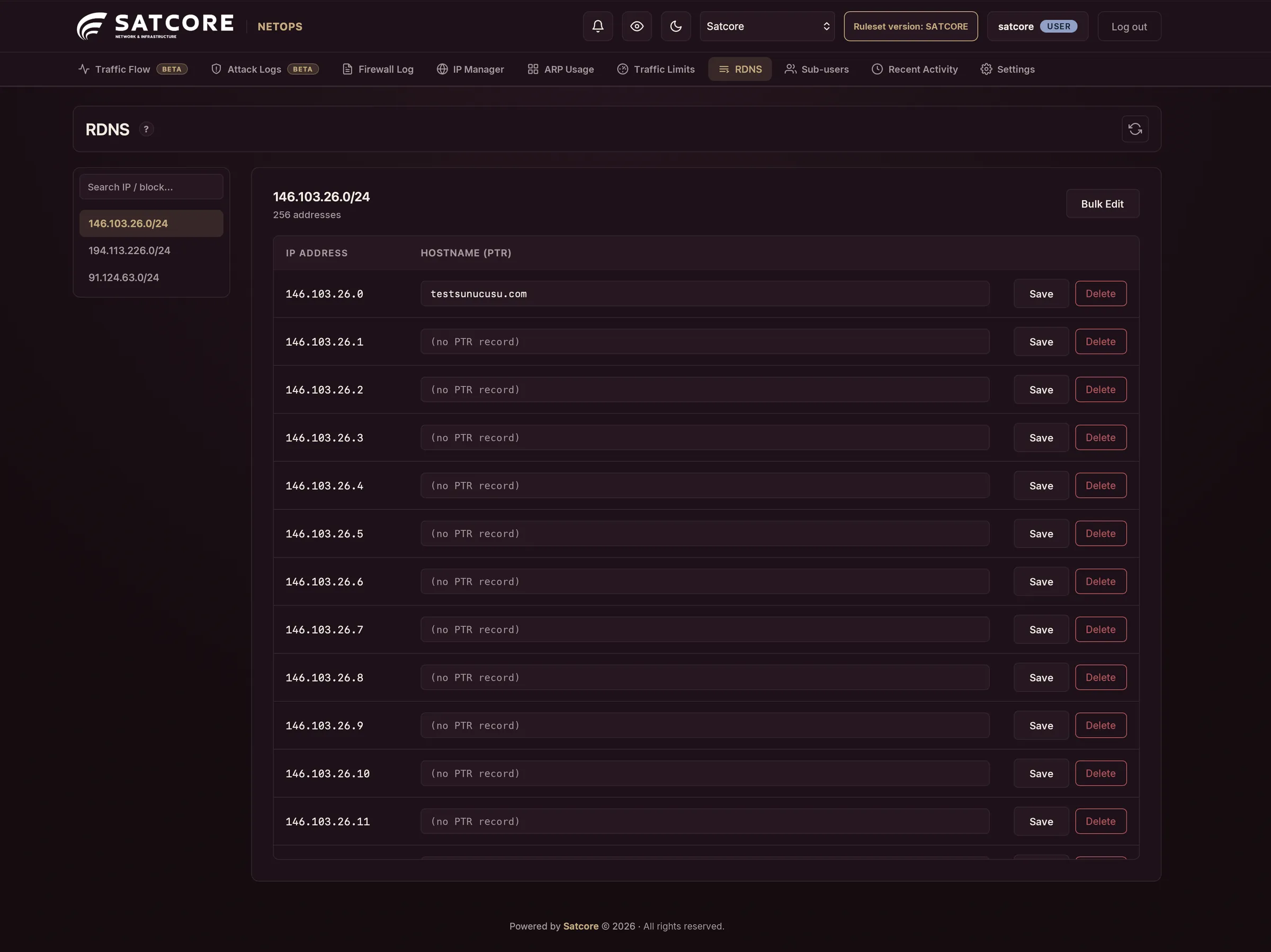
Edit the hostname record of every address in your IP blocks — one by one or in bulk.
05Get notified
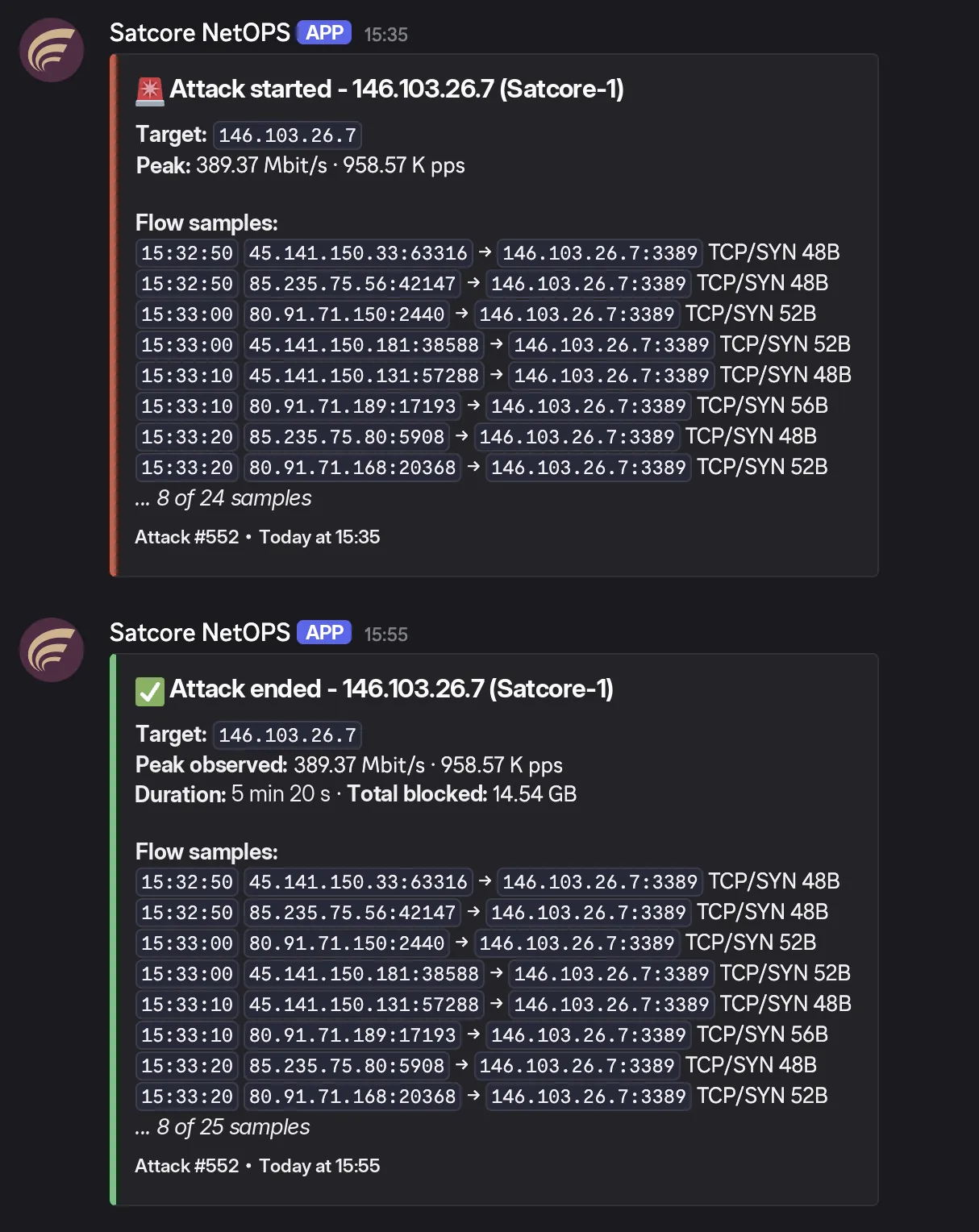
When Shield detects an attack — and again when it ends — NetOps alerts your team, with target IP, peak values, duration and flow samples right in the message.
Included with Shield
Clean and blocked traffic, as it happens.
Automatic detection, complete history.
Country, ASN, port and packet detail.
See exactly what your rules are doing.
Blackhole, whitelist and custom IP lists.
Cut off traffic from abroad in one click.
Rate limits per IP and prefix.
Edit PTR records one by one or in bulk.
Keep track of ARP usage on your network.
Give your team access with their own accounts.
A record of every action taken in the panel.
Alerts your team when an attack is detected.
Already a Shield customer? Sign in to NetOps
Get in touch
Tell us your capacity and preferred connection, and we’ll prepare your Remote Shield quote.
Our customers